

The holiday travel season is here. Over the next few weeks, many of us will be packing up the car or heading to Charlotte Douglas to visit family, and every one of us will be carrying a phone that holds our email, our bank accounts, our photos and our home security cameras.
During the busiest travel days leading up to Thanksgiving the Transportation Security Agency (TSA) screens approximately 3 million passengers. That is roughly ten times the population of York County going through airport checkpoints on a single busy day. Such crowds will lead to distraction, dead batteries and more shared networks for cybercriminals to exploit.
Fortunately, developing a few simple habits goes a long way. Below are Five items I always do prior to travel, and I recommend you do them as well.
Pack your own power source
All of us have experienced the situation. Your smartphone is down to 8%, and your flight was delayed. There is a complimentary USB charging station located near the gate. It is a temptation. However, I suggest you continue walking.
A USB cord conveys more than just electrical energy. Data is also transmitted via a USB cord. Therefore, if someone has compromised a USB charging port to obtain access to your information and/or download malicious code onto your smartphone, it could potentially communicate with your smartphone. This type of attack is referred to as “juice jacking” by security experts; both the Federal Bureau of Investigation (FBI) and the Federal Communications Commission (FCC) have issued warnings regarding this method of exploitation.
While confirmed cases of juice jacking occurring in the real-world are extremely limited, protecting yourself against this threat will cost you less than $25. Therefore, why would you gamble?
Portable battery packs
Portable battery packs are often referred to as “power banks.” Charge your portable battery pack prior to departing, and you will rarely require connecting to a public outlet again. If you have to plug into an outlet, utilize your charger and cord rather than utilizing the USB charging port provided by the kiosk. These are also great when out sight seeing and you are running low on power.

Important note regarding flyers: portable battery packs contain lithium-ion batteries, which pose a fire hazard. As such, air carriers wish to have portable battery packs kept in carryon bags, not in checked luggage. Many air carriers are beginning to restrict when passengers can utilize portable battery packs during flights. Prior to boarding your aircraft, please review your carrier’s restrictions.
Turn off unused devices’ connection ports
Bluetooth is a type of low-range wireless communication that enables devices such as earbuds, watches and vehicles to communicate with smartphones. AirDrop is an Apple product that allows individuals to send emails, documents, etc. directly to other iPhone users based upon proximity. Android smartphones also provide a service referred to as Quick Share that provides a comparable capability to AirDrop.
Both Bluetooth and AirDrop are useful services; however, once activated, your smartphone is advertising itself to all devices within a 30 foot radius. In a crowded terminal environment, this represents numerous potential unauthorized viewers.
Therefore, I recommend turning off Bluetooth when not actively using your earbuds or watch. Also, Change the default AirDrop setting to “Contacts only” or “off”. To change AirDrop Settings on an iPhone navigate to Settings > general > AirDrop. Android users can accomplish this action in the Quick Share application Settings. Additionally, ensure that your smartphone operating system is current prior to departure as updates frequently resolve security issues.
Track your luggage
This recommendation is not concerning hacking threats; this is merely employing technology for protection purposes and it is likely one of the most effective forms of protection you can purchase for travel.
Apple provides an item referred to as an AirTag. An AirTag is an inexpensive, coin-sized tracking device that utilizes gps mapping technology to display its location on an iPhone user’s smartphone. Android users can employ comparable products including Samsung SmartTags and Tile. Add an AirTag to each piece of checked luggage and you will know if your luggage made the connecting flight in Atlanta prior to arriving at your destination.

It gets better. Apple now permits iPhone users to designate multiple major airlines as trusted parties in the find my application. Once designated, you will be able to view the location of your checked baggage in addition to viewing the status of the baggage claim area.
Additionally, I add an AirTag to my carry-on bag. If I forget something in a security line or in a ride-sharing vehicle, my smartphone alerts me before I am too far away from where I left my item.
One additional consideration that might be valuable. Both iOS and Android smartphones will notify you if an unknown tracking device(s) is accompanying you. Should you receive this notification, take it seriously and inspect your belongings immediately.
Do not utilize public wi-fi and instead use your phone’s hot spot
Many airports, hotels and coffee shops provide complimentary wi-fi services. While most of us quickly establish a connection without a second thought regarding who established this Network or who else may be connected to it.
Here is how this works. A cybercriminal sits at a gate with a laptop and establishes a Network called “free airport wi-fi.” It appears identical to the legitimate airport wi-fi. Your smartphone establishes a connection to the false Network and all communications from your smartphone pass through the cybercriminal’s laptop initially. Security professionals refer to this type of attack as an “evil twin.” Although most modern websites encrypt communications passing through them, communications passing through an evil twin can still redirect you to phishing sites that appear almost identical to genuine login pages or steal sensitive information from applications not designed with security as their top priority.
What do I recommend instead?
Use your mobile phone’s personal hot spot. Your mobile phone communicates with your cellular provider’s Network, which is significantly more difficult for bad actors to spoof and shares that connectivity with your laptop/tablet. To activate the Personal Hotspot function on an iPhone, locate Settings > Personal Hotspot. To activate this feature on an Android smartphone locate Network/connections > mobile/wifi tethering. Be certain to secure this feature with a complex password.
In addition to using your phone’s hot spot feature two additional features can assist you in securing your usage of public wi-fi:
First, disable your phone’s preference to automatically connect to available open networks.
Second, once completed using public wi-fi, delete the public Network from your list of saved connections.
If you have determined that using public wi-fi is unavoidable, delay performing banking and purchasing transactions until you arrive at your destination.
Wait until you return Home to post photographs
Finally, this tip does not pertain specifically to altering your phone Settings; it relates solely to posting photographs online while you are traveling.
When you post a photo from the beach or the ski lift in real time, you are telling everyone who sees it that your home is empty. And the audience is bigger than you think. Your friends share it, their friends see it, and if your profile is public, anyone can.
Now combine that with what else is online. Your address is easy to find, your profile may show the neighborhood you live in and your past posts may show what is inside your home.
My advice is simple. Enjoy the trip, take all the pictures you want and share them when you arrive home. Your friends will love them just as much on Sunday night. If you cannot wait, at least make sure your posts are set to friends only, and leave the location tag off.
Your Holiday travel checklist
None of these recommendations requires more than a couple of minutes; collectively they safeguard your phone; your bank accounts; and your Home while you are away. Before you head out, run through this list.
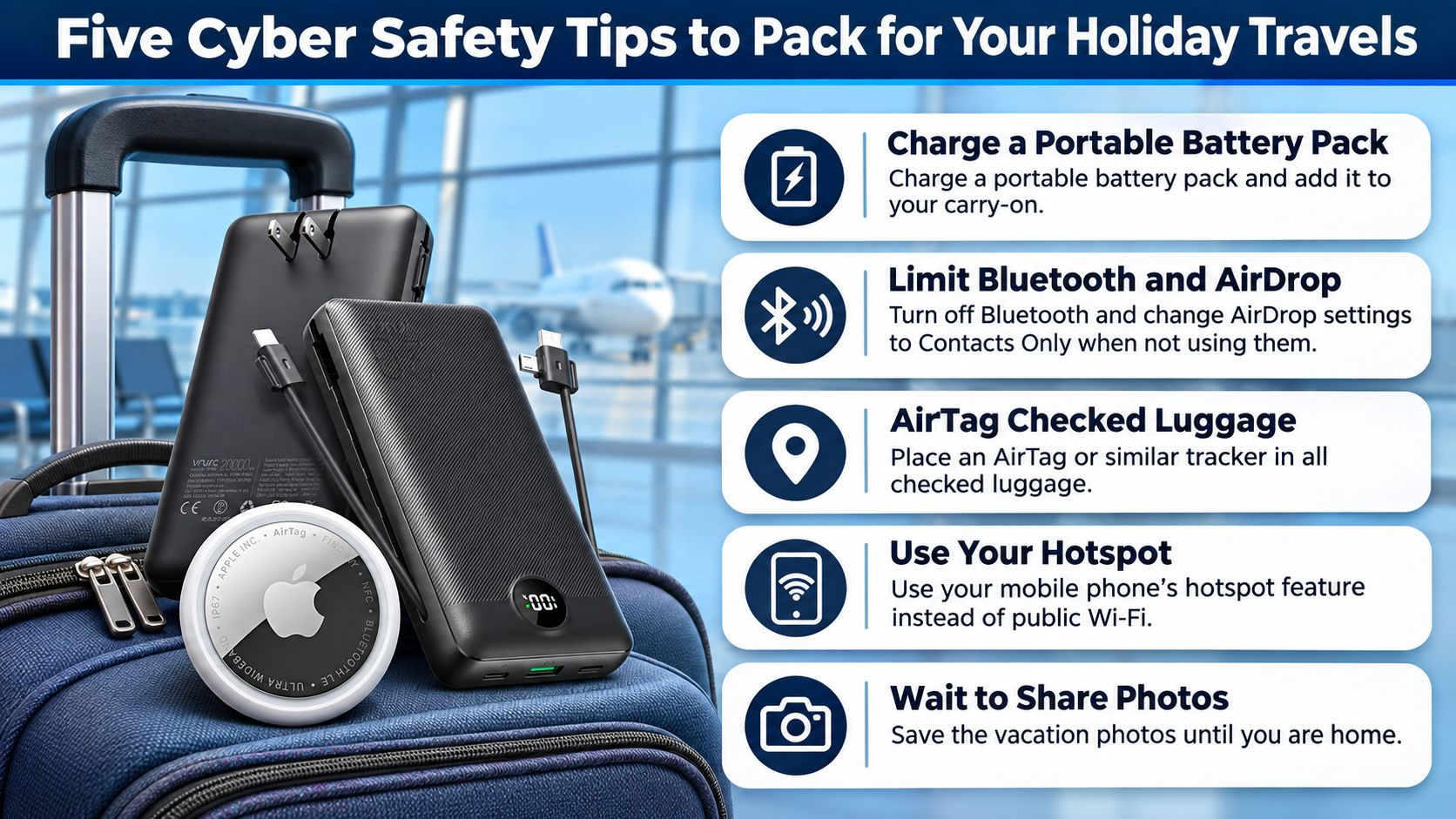
1. Charge a portable battery pack and add it to your carryon.
2. Turning off Bluetooth and change AirDrop Settings to Contacts only when not using them.
3. Air tag all checked luggage.
4. Employ your mobile phone’s hotspot feature instead of public wi-fi.
5. Save the vacation photos until you are home.
Safe travels, and happy holidays.